My Tokens
The My Tokens page lets end users see the personal access tokens issued to them. This is the personal, read-only counterpart to the management Personal Access Tokens page.
Role access: User (always). Super Admin and Project Manager see this page when they switch to personal view via the profile menu. Admin and Auditor are locked to management view and do not see this page.
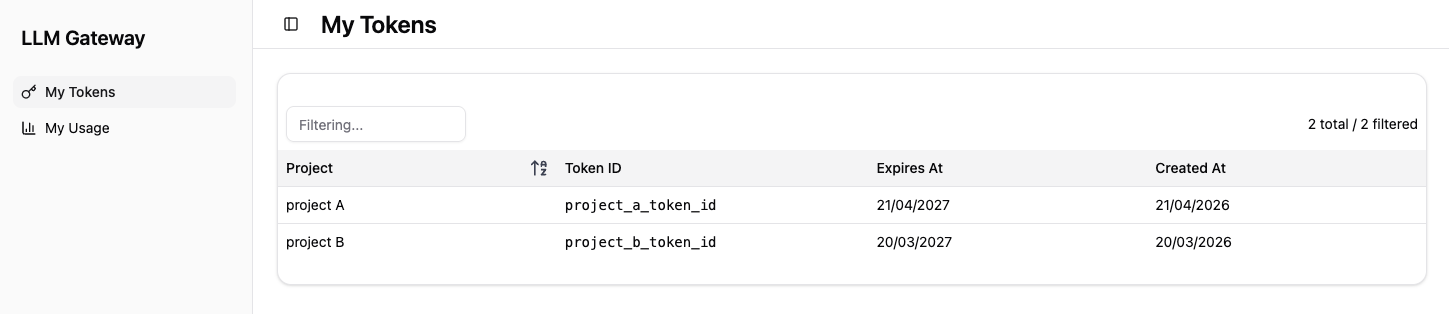
My Tokens Table
The table lists every token currently issued to the signed-in user. Rows are implicitly scoped to the current user, so there is no email column.
Each row shows:
-
Project - Project the token is bound to,
-
Token ID - Unique identifier of the token,
-
Expires At - Token expiration date,
-
Created At - Date when the token was issued.
The page is read-only. It does not expose actions for issuing, rotating, or revoking tokens.
Requesting Changes to Your Tokens
Token issuance and revocation are administrative actions. To get a new token, replace an expiring one, or have a token revoked, contact your project owner or an administrator. They will perform the action from the management Personal Access Tokens page.