LLM Gateway MODEL ANALYTICS
The Model Analytics dashboard provides comprehensive insights into AI model usage, costs, and performance across your LLM Gateway deployment.
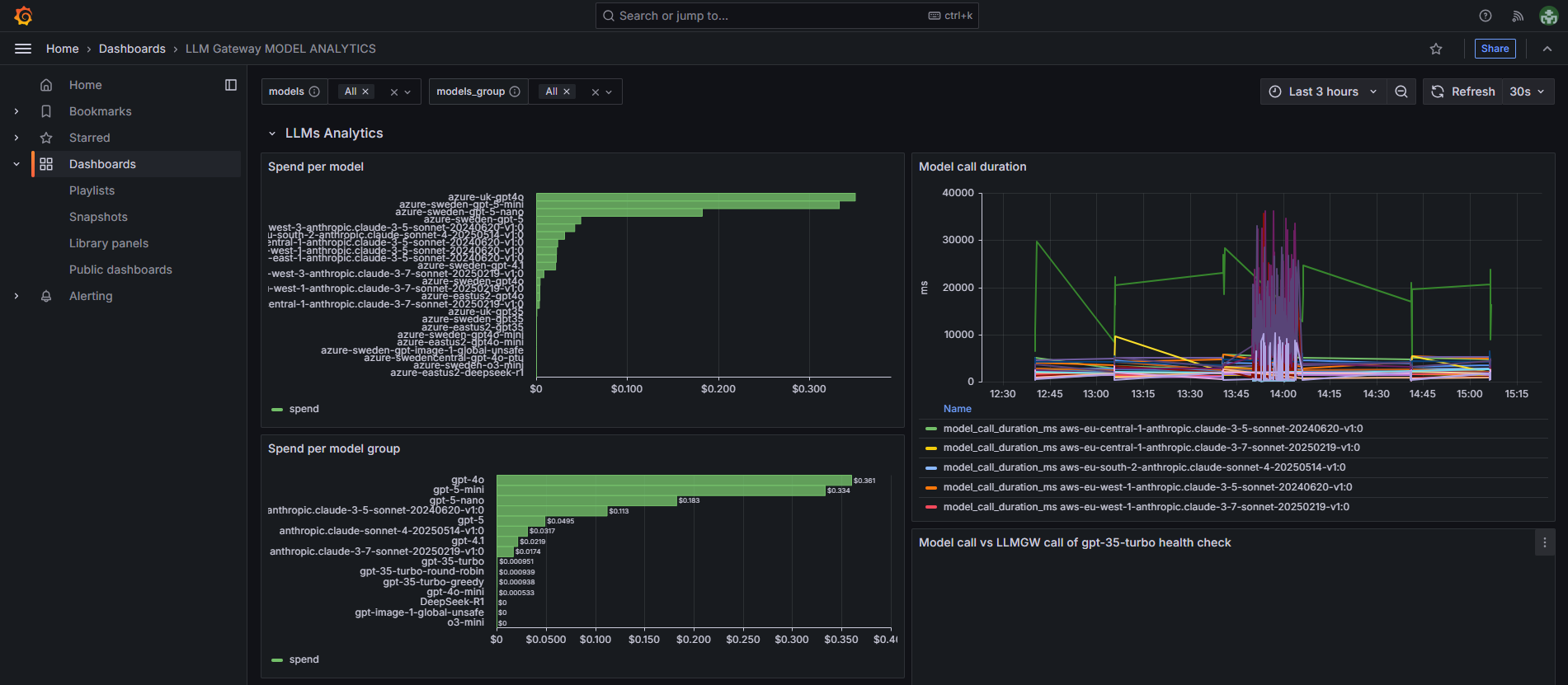
Dashboard Components
-
Spend per model - Shows cost breakdown by individual AI model, allowing you to identify which specific models are generating the highest expenses (for example
azure-uk-gpt4o), -
Spend per model group - Displays aggregated spending by model groups, providing a higher-level view of cost distribution across different AI model types (for example
gpt-4o), -
Call duration - Tracks response time patterns for model calls over time, helping identify performance trends and potential latency issues,
-
Call vs model mall duration - Shows call duration patterns over time,
-
Model call vs LLMGW call of gpt-4o health check - Call duration metrics over time for different gpt-4o models across Azure regions,
-
Response codes per model (10min interval) - Shows HTTP response status codes for different models over time, tracking success/failure rates in 10-minute intervals.
-
Model call duration - Shows response times over time for different AI models across various regions,
-
Model call vs LLMGW call of gpt-35-turbo health check - Duration metrics over time for different gpt-35 models across Azure regions,
-
Model call vs LLMGW call of gpt-4o-mini health check - Duration metrics over time for gpt-4o-mini models across Azure regions,
-
Response code per model - Table showing HTTP response codes and total request counts for each AI model, with all models.
Filtering Options
The dashboard provides two key filtering mechanisms to help you analyze your AI model usage at different levels of granularity:
Models Filter
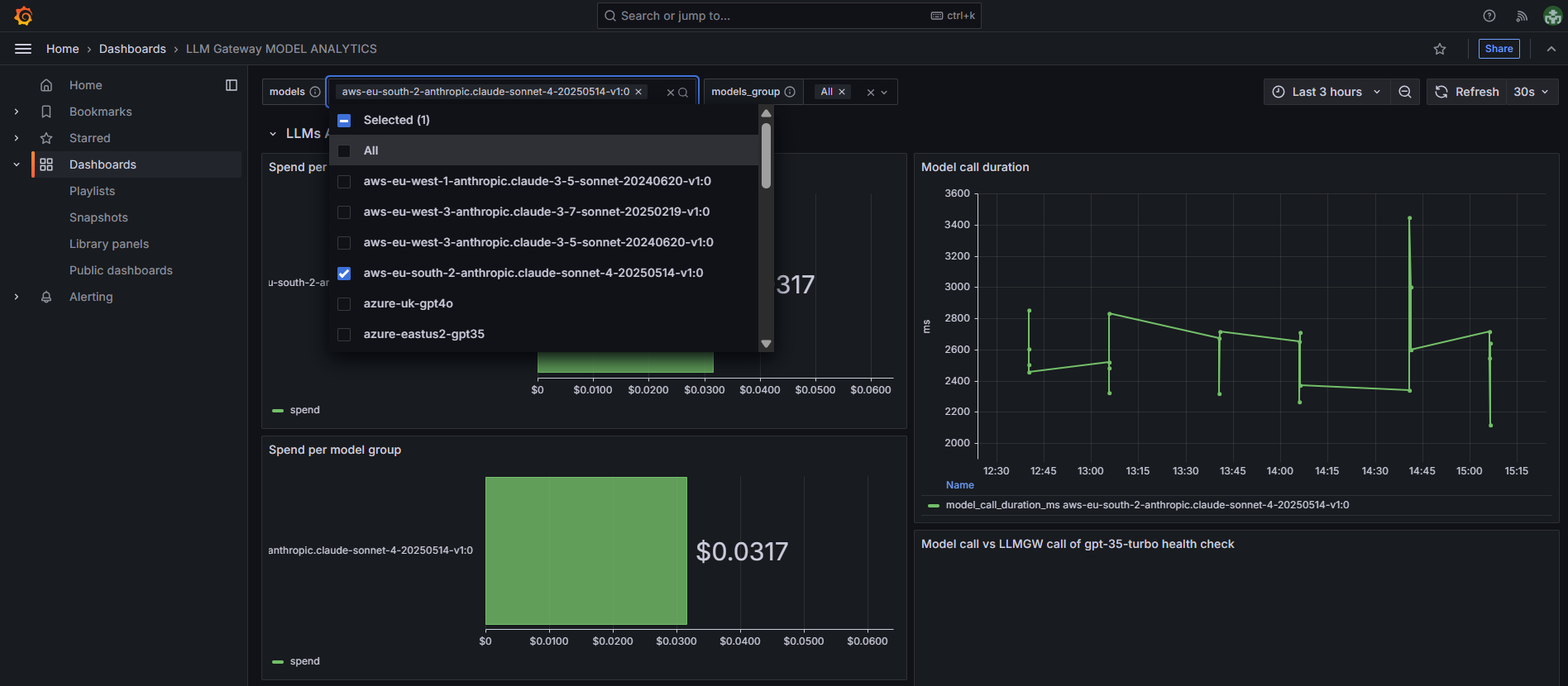
- Select specific individual models to focus analysis on,
- Narrows all dashboard metrics to show data only for chosen models,
- Useful for detailed cost and performance analysis of specific models.
Models Group Filter
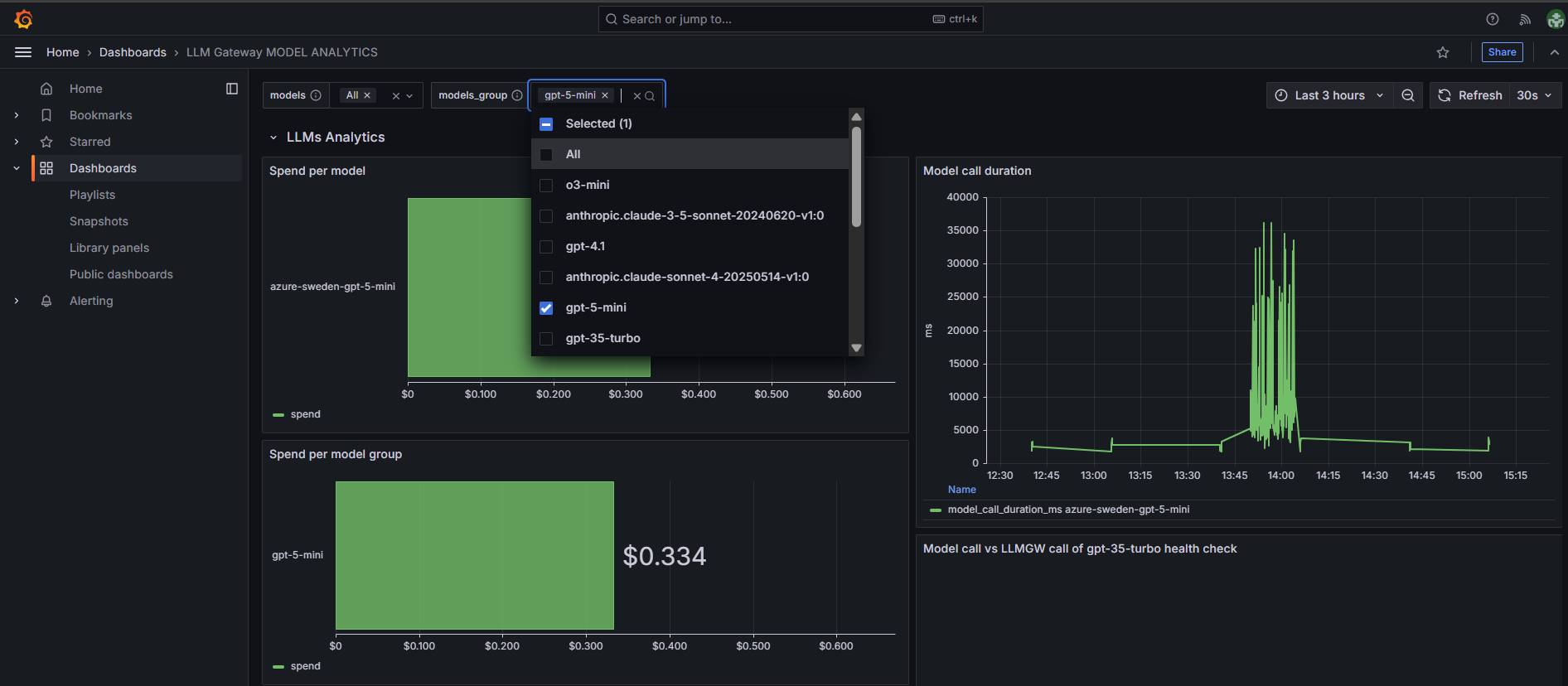
- Filter by model groups (e.g., gpt-4o, anthropic.claude-3-5-sonnet),
- Provides broader view across different AI model groups,
- Helps analyze spending patterns at the model group level.
Note: If you select a model and model group that are not from the same origin, you will get no data in the dashboard. Ensure your filter selections are compatible.