Flow ID Logs
What is Flow-ID?
Flow-ID is a unique identifier that can be attached to each request sent to the LLM Gateway, allowing you to group and track related conversations or requests together. Think of it as a tool that helps you organize and filter your LLM interactions.
Flow-ID Format
Flow-IDs follow the UUID (Universally Unique Identifier) format, which looks like this:
f47ac10b-58cc-4372-a567-0e02b2c3d479
This format consists of 32 hexadecimal characters separated by hyphens in the pattern: 8-4-4-4-12.
How to Attach Flow-ID to Your Requests
Here’s how you can integrate Flow-ID into your Azure OpenAI requests using the LLM Gateway:
Note: The only difference between this and Azure OpenAI guide key is adding the “flow-id” to your default_headers when creating the Azure OpenAI client.
Dashboard Components
The Flow-ID Logs dashboard provides comprehensive visibility into conversation flows and request tracking across your LLM Gateway deployment. This dashboard helps trace and monitor specific conversation threads, enabling detailed analysis of user interactions and request patterns.
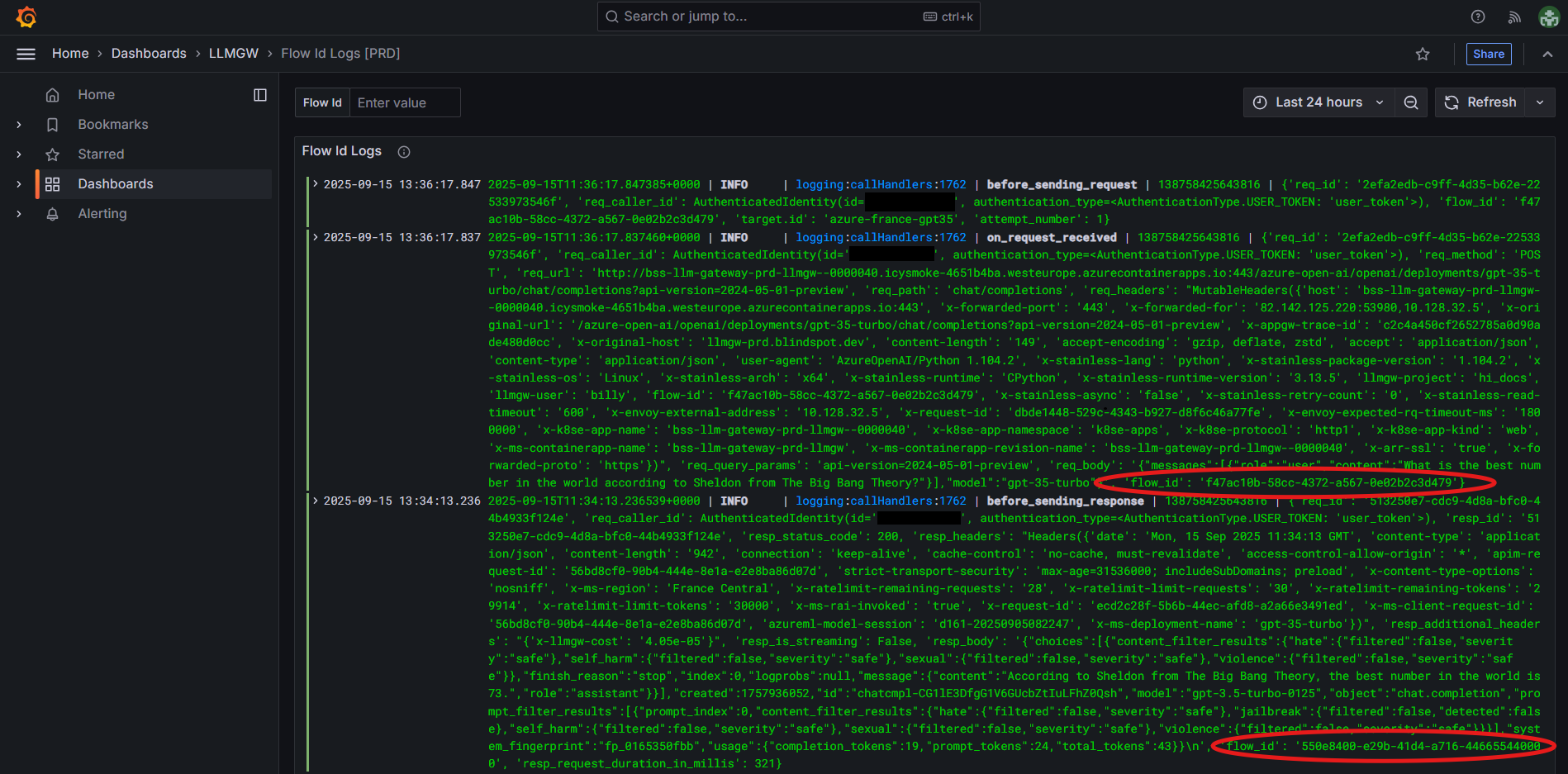
Log Display
The dashboard displays detailed JSON logs with comprehensive request and response information:
-
Timestamp - Shows precise timing of each request and response,
-
Request ID - Unique identifier for individual API calls,
-
Flow-ID tracking - Displays the conversation thread identifier (highlighted in red circles),
- Each Flow-ID represents a different conversation thread or group of related requests. The Flow-IDs appear consistently across all related log entries, making it easy to trace which requests belong to the same conversational flow.
-
Request/Response pairs - Shows
before_sending_request,on_request_received,before_sending_response, andon_response_receivedevents, -
Detailed metadata - Includes authentication, headers, model information, token usage, and response content,
-
Performance metrics - Request duration, token counts, and response timing.
Filtering Options
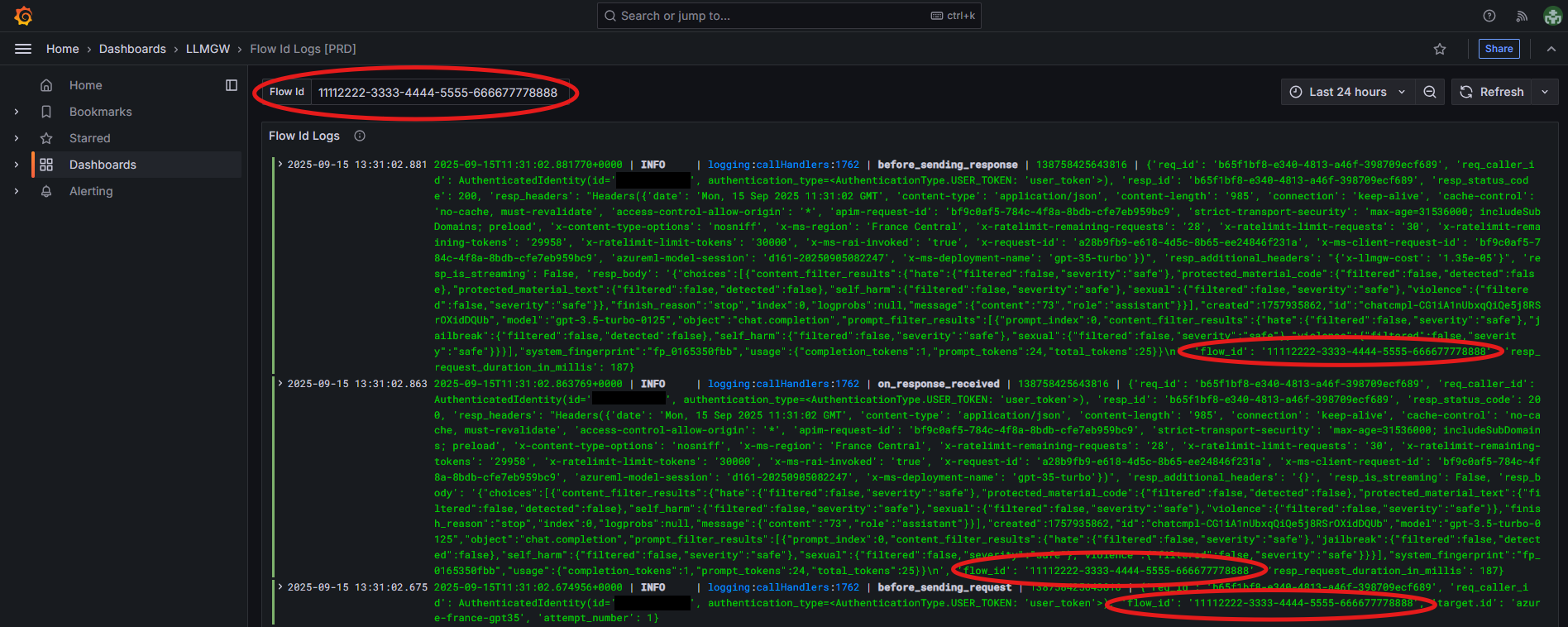
The dashboard includes powerful Flow-ID filtering capabilities that enable targeted analysis of specific conversation threads.
Flow-ID Filter
-
Flow-ID Filter Field - Dedicated input field at the top of the dashboard where you can enter a specific Flow-ID (like
11112222-3333-4444-5555-666677778888), -
Active Filtering - When a Flow-ID filter is applied, the dashboard shows only the logs related to that specific conversation thread,
-
Targeted Analysis - Filtered view enables detailed examination of:
- Specific user sessions
- Complete conversation flows
- Performance analysis for particular interaction sequences
- Debugging of specific use cases or user journeys