Admin portal
⚠️ Warning:
Some of the screens displayed in this documentation use outdated UX styles. The user experience may differ in the current version of the Admin Portal. Sections of Admin Portal are currently going through redesign and documentation will be fixed for v.2.4.0.
The LLM Gateway admin portal provides comprehensive cost control and project management capabilities. It enables administrators to:
- Set spending limits at organization, group, and project levels,
- Manage user access and project ownership,
- Configure project-specific rate limits and quotas,
- Review complete audit trails and system activity logs.
Accessing Admin portal
To log in:
- Navigate to the login URL: https:/<admin-portal-deployment-url>/
- You’ll be redirected to Microsoft’s authentication page
- Use your company Azure AD credentials
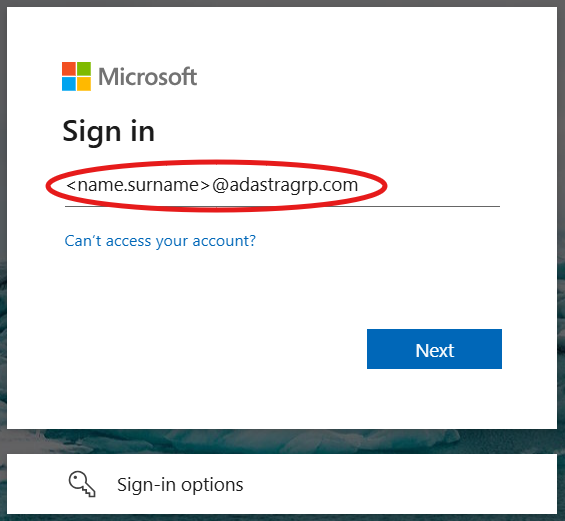
Note: You need to be granted access to the admin portal. If you don’t have access, contact your system administrator.
What’s available
The admin portal is organized into several key management areas:
-
Projects - Create and manage AI projects, set daily and monthly spending limits, track active tokens and project ownership,
-
Groups - Create and delete user groups for organizational structure,
-
Tokens - Generate user tokens, manage their lifecycle, and revoke access when needed,
-
API Keys - Generate API keys, manage their lifecycle, and revoke access when needed,
-
Audit Logs - Review system activities, track configuration changes, monitor user actions, and maintain compliance records.
Each section provides specific tools for managing different aspects of your LLM Gateway deployment.
Note: For displaying real-time metrics including total daily and monthly spend limits, active project counts, and token usage statistics head to monitoring page.
Getting Help
- For portal access issues, contact your system administrator,
- For budget and limit configuration, refer to the projects management guide,
- For technical issues, check with the DevOps team.