Audit logs
The Audit Logs page provides comprehensive tracking of all system activities across your LLM Gateway deployment. This global audit trail allows administrators to monitor user actions, system events, and security-related activities with detailed filtering and search capabilities.
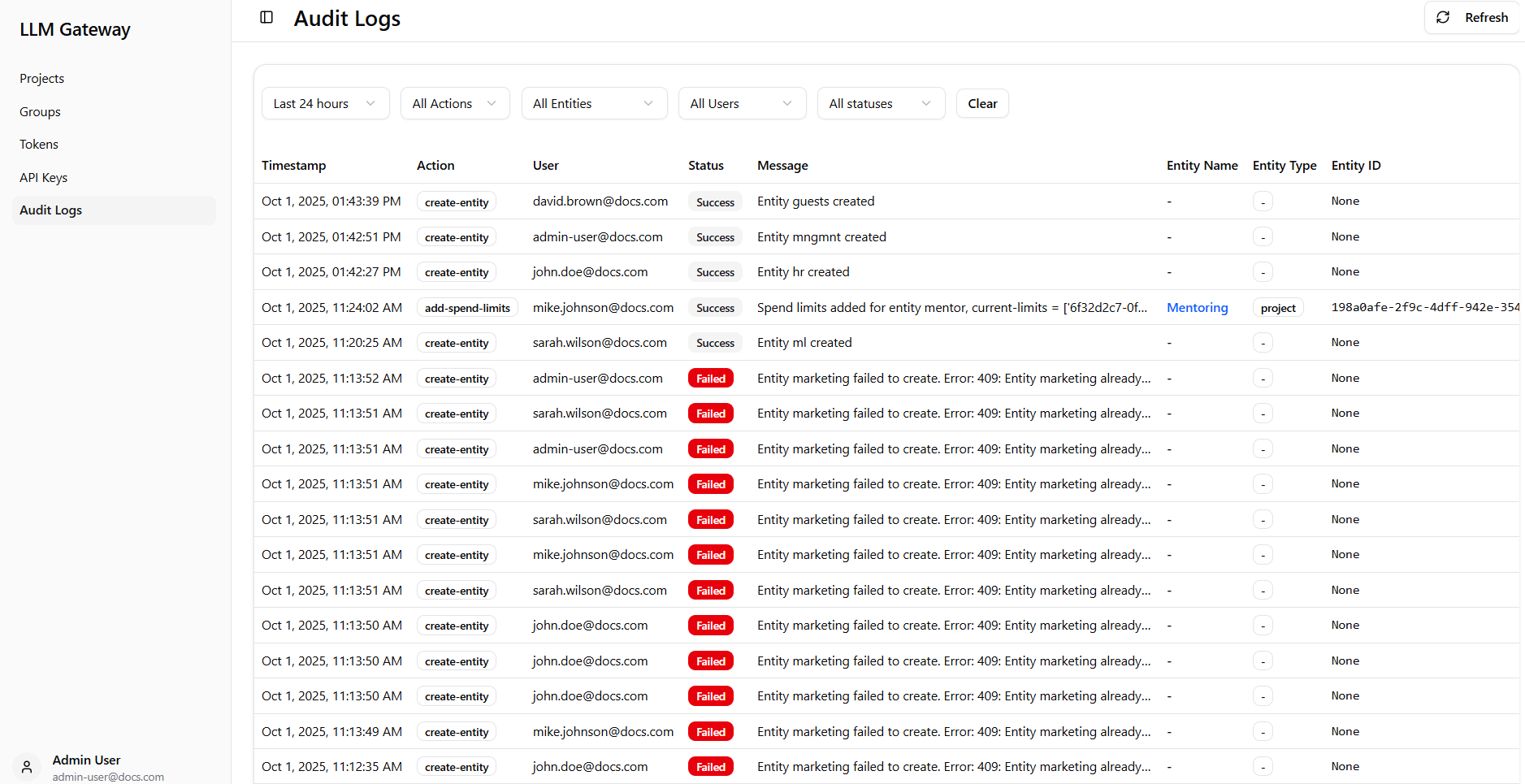
Dashboard Components
Global Audit Logs
The page displays a comprehensive audit trail with advanced filtering capabilities:
-
Filtering Options - Multiple dropdown menus to narrow down log entries:
- Time Range - Filter by specific time periods,
- Actions - Filter by specific actions such as login, creation, etc.
- Entities - Filter by entity types,
- Users - Filter by specific users who performed the action,
- Status - Filter by operation status.
-
Control Options - Clear filters and refresh the log view with dedicated buttons.
Audit Log Table
The main audit log table provides detailed information for each logged event:
-
Timestamp - Exact date and time when the action occurred,
-
Action - Type of action performed (e.g., create-entity, add-spend-limits),
-
User - Email address of the user who performed the action,
-
Status - Operation result with visual indicators (Success in green, Failed in red),
-
Message - Log message - description of the action and its outcome,
-
Entity ID - Unique identifier of the affected entity,
-
Entity Type - Type of entity affected,
-
Entity Name - Name of the affected entity when applicable.
This centralized audit logging system ensures complete visibility into all LLM Gateway activities, supporting security monitoring, compliance requirements, and operational troubleshooting across your entire deployment.